DepthForge
Light in. Depth out.
Turn photos, logos and artwork into 3D relief engravings in steel, brass, titanium and stone. DepthForge works out the depth, the passes and the laser settings, then hands a ready job to LightBurn, EZCAD or MeerK40t.
Full features during the trial. No credit card needed.



One depth map, two finishes. DepthForge exports the grayscale height map your laser software slices into passes.
From a picture to a carved part
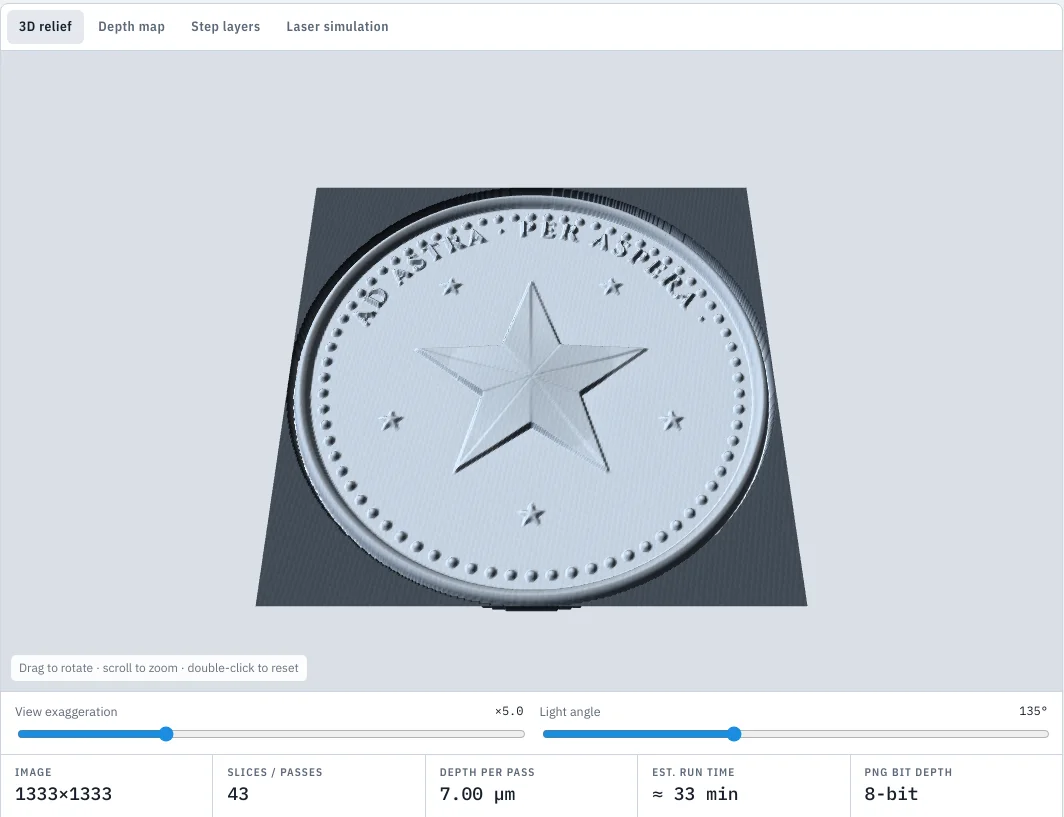
Images to 3D relief
Load a photo, logo or SVG and DepthForge builds a depth map ready for LightBurn's 3D Sliced mode, plus stepped SVG layers. On-device AI estimates depth from ordinary photos.
- Smooth relief, flat logo, beveled coin and dome styles
- 8-bit or 16-bit PNG at the exact DPI of your line interval
- Live 3D preview with adjustable lighting
Settings that match your laser
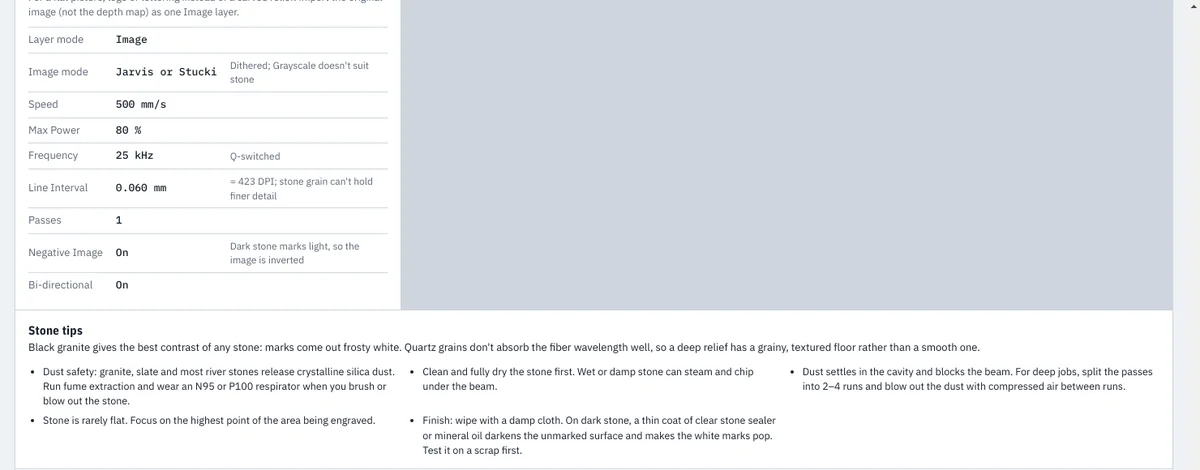
Pick your source, wattage, lens and material. DepthForge calculates speed, power, frequency, pulse width, passes and cleanup layers, and writes a full settings sheet.
- Metals: stainless, carbon and tool steel, aluminum, brass, copper, titanium, silver, gold
- Stone: slate, river stone, black and gray granite, marble
- Your own measured recipes replace the estimates
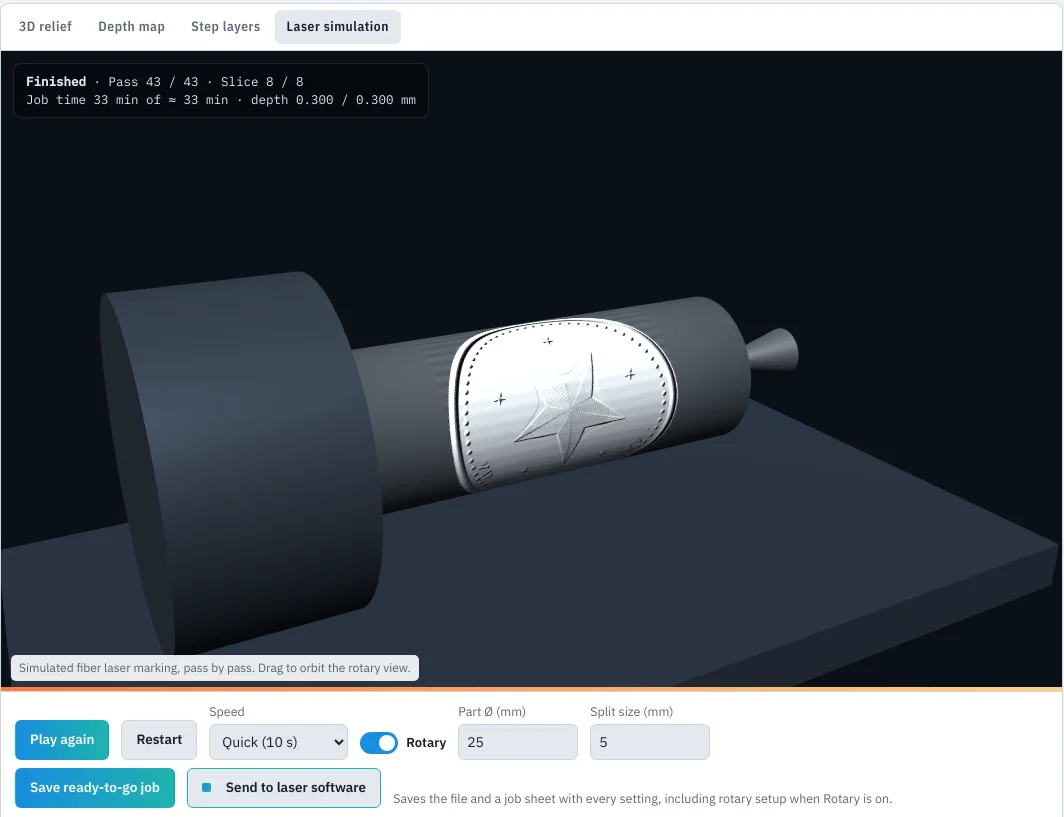
Laser simulator, flat or rotary
Watch the job carve pass by pass before you burn real material. Switch the rotary on to see the part turn under the beam, slice by slice.
- Job time and depth reached, live
- Rotary diameter, split size and wrap checks
- Save a ready-to-go job folder with every setting
AI Assist
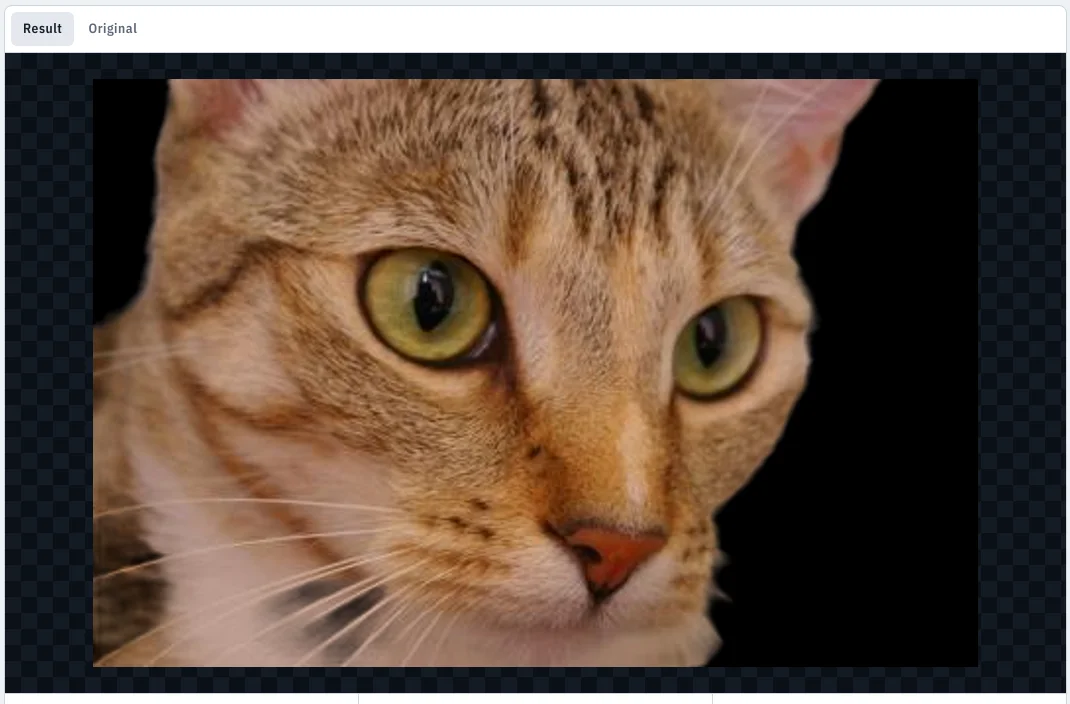
Clean up images for the laser on your PC: remove backgrounds, make line art and stencils, posterize into depth layers, smooth for relief. Optionally create new artwork from a description with your own image-service key.
- Background removal in a few seconds, offline
- Line art, stencil, layers, smooth, invert
- Send results straight to Relief or Rotary
Material test grids
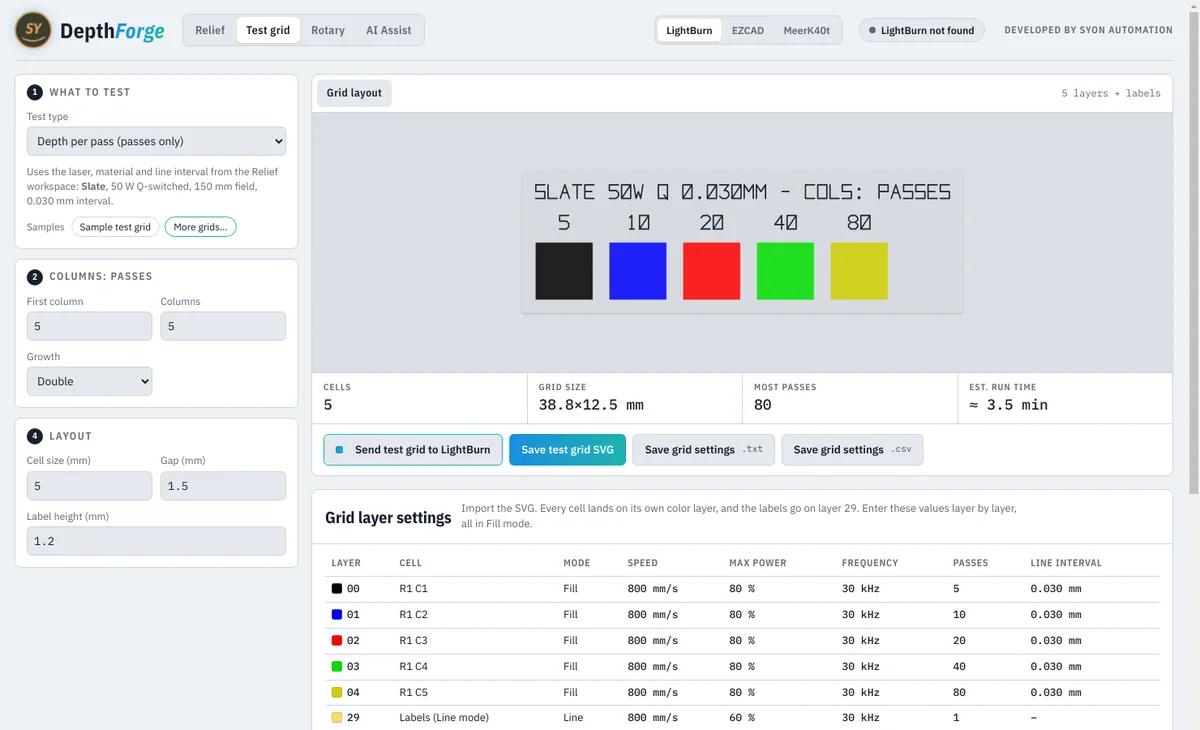
Generate a calibrated test grid of passes against speed, frequency, power or pulse width. Measure the cells and DepthForge saves your own recipe for that material and laser.
- Each cell on its own layer, labels ready to mark
- Ready-made grids in the sample library
Send to your laser software
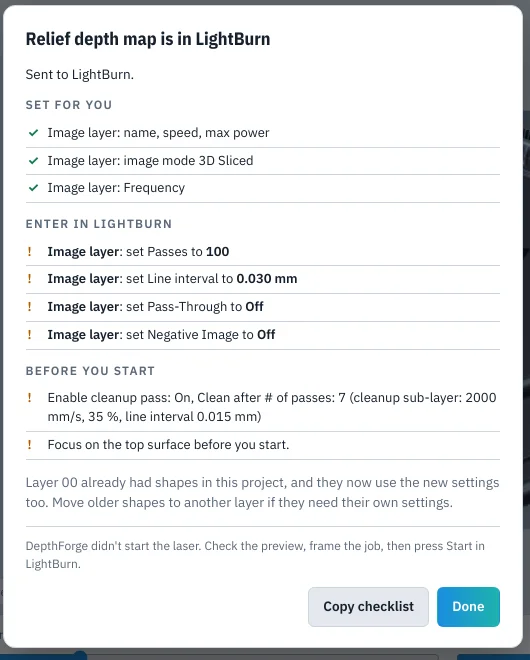
One click sends the job and its settings to LightBurn, MeerK40t or EZCAD, with a checklist of anything you still set by hand. DepthForge never starts the laser.
- LightBurn: direct import with layer settings
- MeerK40t: loads and sets up operations
- EZCAD: ready-to-import DXF or BMP plus a pen sheet
One-time purchase. No subscription.
Prices in US dollars. Sales tax or VAT is added at checkout where it applies.
Free trial
- Every feature for 14 days
- No credit card
- Upgrade any time with a license key
DepthForge
- Lifetime license for 2 computers
- 12 months of updates included
- Optional update renewal $29/year
- Email support
Business
- Lifetime license for 5 computers
- 12 months of updates included
- Priority email support
14-day refund window after purchase. See the refund policy.
What you need
| Operating system | Windows 10 or Windows 11, 64-bit |
| Memory | 8 GB RAM (16 GB recommended for large reliefs) |
| Disk space | About 450 MB |
| Laser | Fiber galvo laser, Q-switched or MOPA |
| Laser software | LightBurn (galvo), EZCAD 2 or 3, or MeerK40t |
| Rotary | Optional; chuck or roller rotary on the galvo |
| Internet | For license activation and optional online image creation |
Frequently asked
Which lasers does DepthForge work with?
Fiber galvo lasers (Q-switched and MOPA, 20 to 100 W) driven by LightBurn, EZCAD or MeerK40t. DepthForge prepares the files and settings; your laser software runs the job.
Do I need LightBurn?
No. DepthForge also exports for EZCAD and sends jobs to MeerK40t. For LightBurn, depth maps use its 3D Sliced image mode on galvo devices.
Does it need the internet?
Only to activate your license and, if you choose, to create images from a description with your own image-service key. Everything else, including the depth AI, runs offline on your PC.
How many computers can I use it on?
A standard license covers 2 computers; the business license covers 5. You can move a license to a new computer at any time.
What happens after the first year?
DepthForge keeps working forever. Updates released in the first 12 months are included; after that an optional renewal adds another year of updates.
Are the settings guaranteed?
They are calculated starting points. Every laser and lens differs, so run a test grid; DepthForge then uses your measured numbers.